Xero Connect
Xero Connection with Approval Portal
Streamline your invoicing with our seamless Xero integration, automating data transfer for accuracy and real-time visibility. Click "Connect to Xero" on your dashboard, log in securely, and unlock the power of automated invoice management. Elevate efficiency, reduce errors, and make informed financial decisions effortlessly.
Steps:
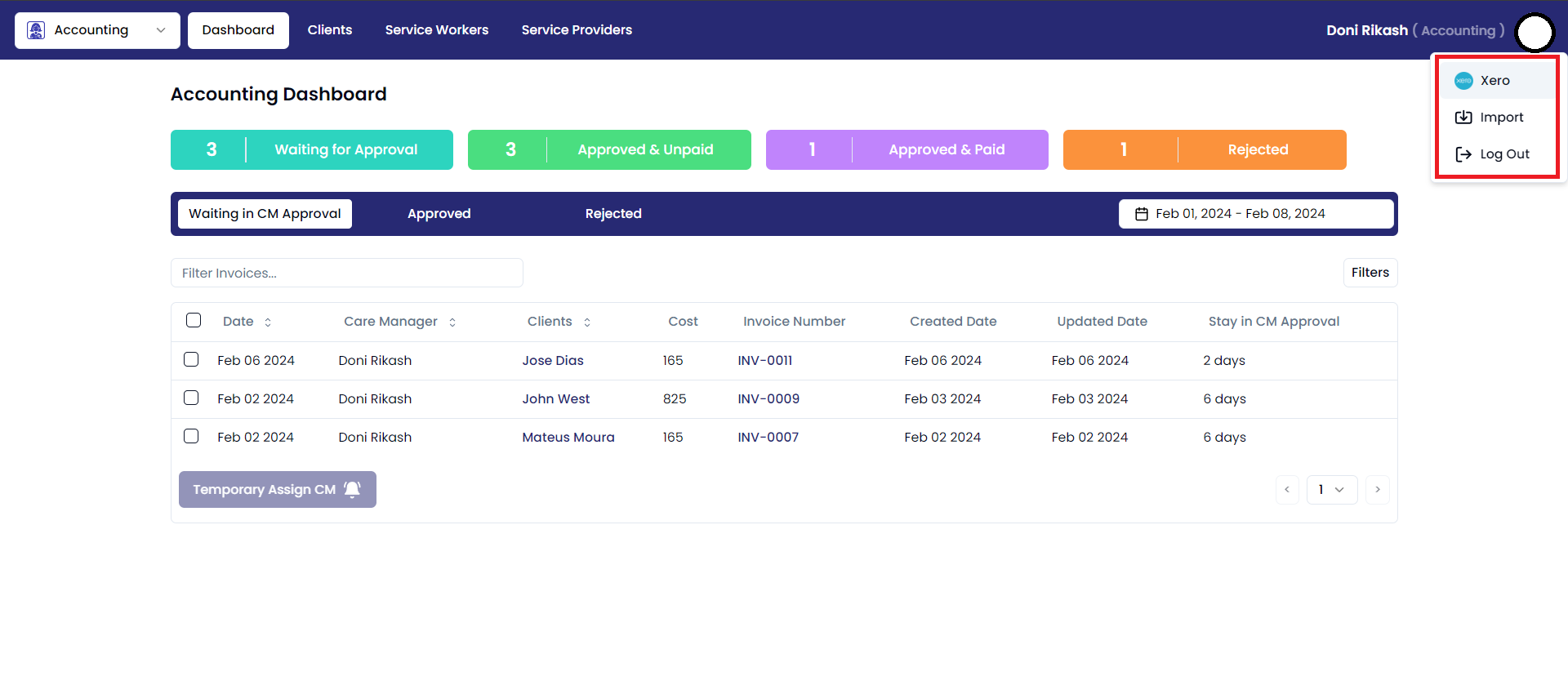
- Click on the user profile icon in the top right corner of the Accounting window. This will open a drop-down menu.
- In the drop-down menu, click on the "Xero" option.
- This will take you to the Xero dashboard page.
Steps:
- On the Xero Dashboard, click on the “Connect” button.
- You will be redirected to a Xero login page.

Xero login:
Log in to Xero using the desired credentials to securely access your financial data and manage your accounting tasks with ease.
Steps:
- Enter your Xero Login email address in the email address field.
- Enter your password in the password field.
- Click on the Log In button.
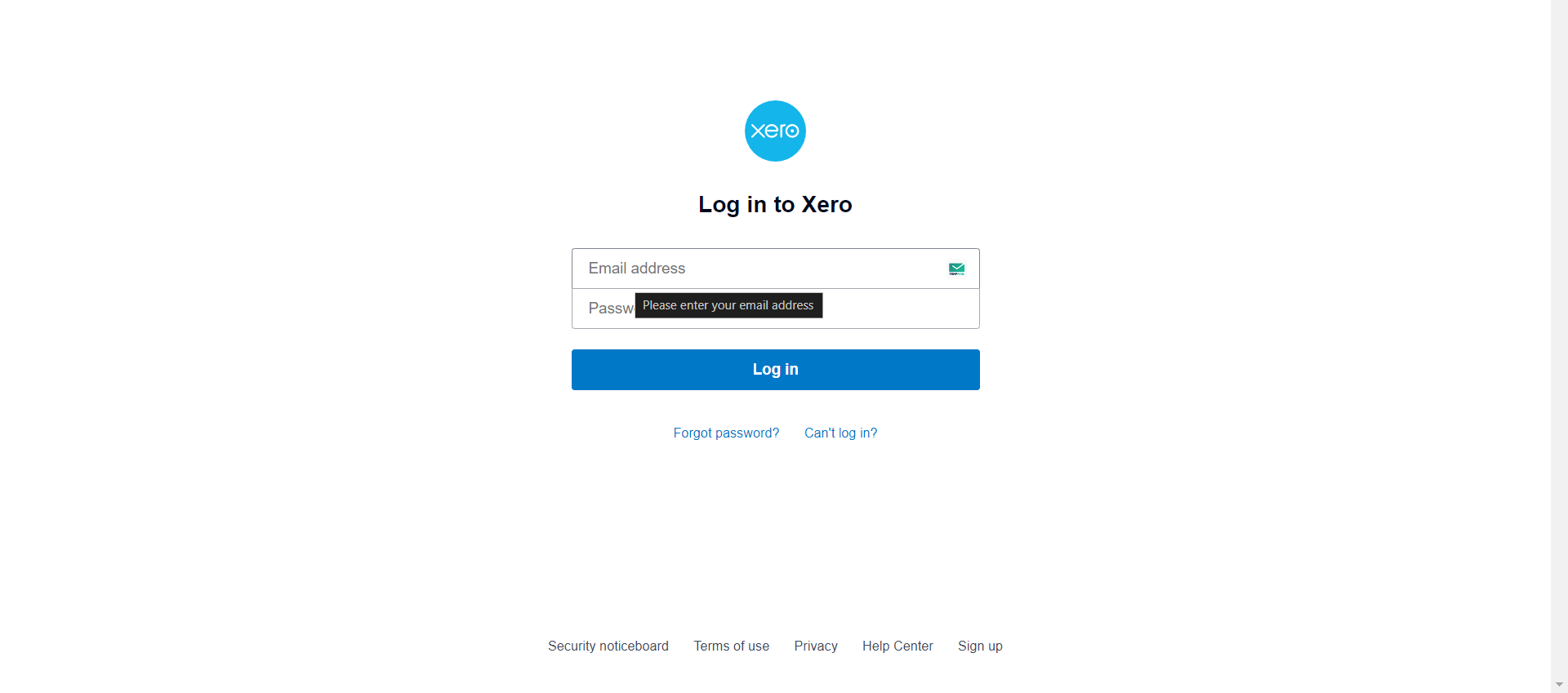
Once you logged in, you'll be redirected to dashboard page