Invoices
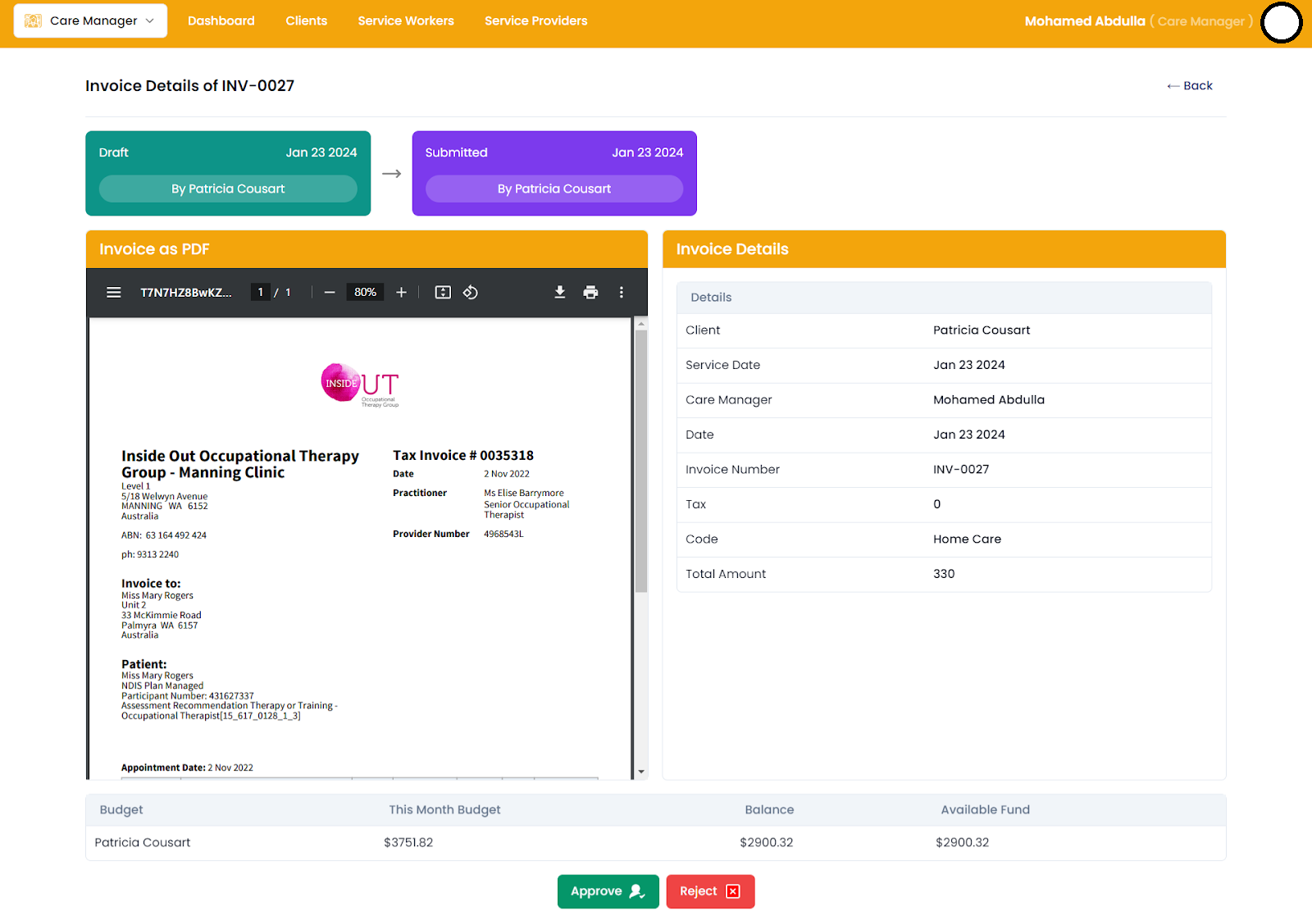
The Approval Invoice Page serves as a central hub for managing and processing invoices that require approval within your organization. It provides users with a consolidated view of invoice status, details, and budget information, streamlining the approval workflow and facilitating timely processing of invoices.
Key Features:
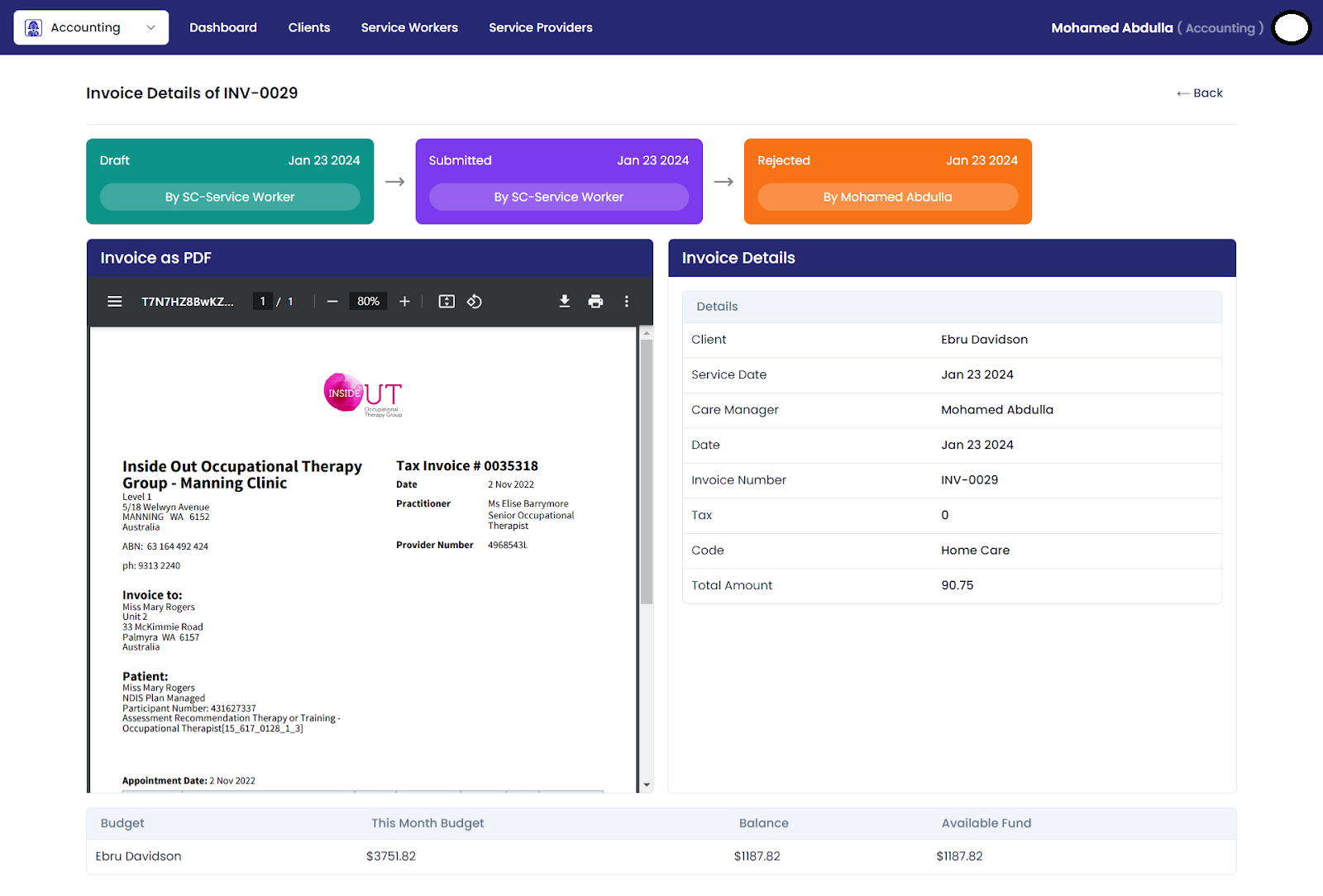
Status Flow Cards:
- Displays the status flow of invoices, tracking their journey from draft to submitted, approved, and rejected.
- Each card includes the date and the user responsible for the status change, providing transparency and accountability.
- Offers a visual representation of invoice status changes, enhancing transparency and accountability.
Invoice Details Section:
- Provides comprehensive details about each invoice, including name, number, client details, tax information, code, and total amount.
- Enables users to review key invoice information at a glance, facilitating informed decision-making during the approval process.
- Provides detailed information about each invoice, ensuring users have all necessary details for informed decision-making.
Invoice PDF Rendering:
- Renders the invoice PDF, sourced from Xero, allowing users to view the actual invoice document alongside its details.
- Enhances user experience by providing a visual representation of the invoice and ensuring accuracy during review.
- Allows users to view the actual invoice document alongside its details, ensuring accuracy during review.
Budget Table:
- Displays this month's budget, balance, and available funds, enabling users to monitor budget allocations and expenditures in real-time.
- Helps users make informed decisions by providing insights into available budgetary resources.
- Provides insights into budget allocations and expenditures, empowering users to make informed decisions.
Invoice Approval/Rejection:
- Allows users to approve or reject invoices directly from the page if there is an available balance.
- Streamlines the approval process by providing a convenient way to take action on invoices without navigating to a separate section.
- Streamlines the approval process by allowing users to take immediate action on invoices directly from the page.
Overall, the Approval Invoice Page streamlines the invoice approval process by providing users with a centralized platform to review, process, and take action on invoices efficiently.
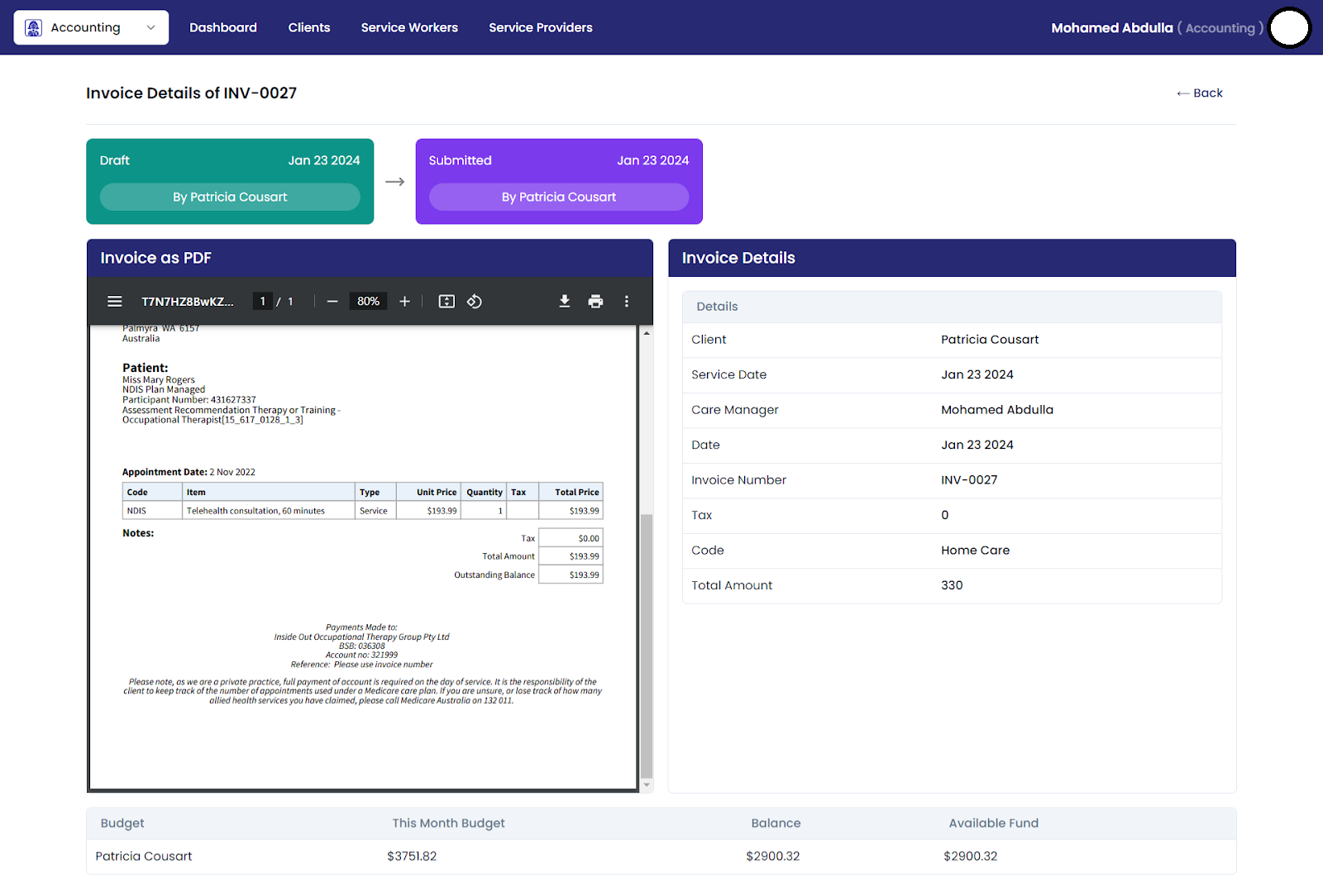
Submitted Invoice
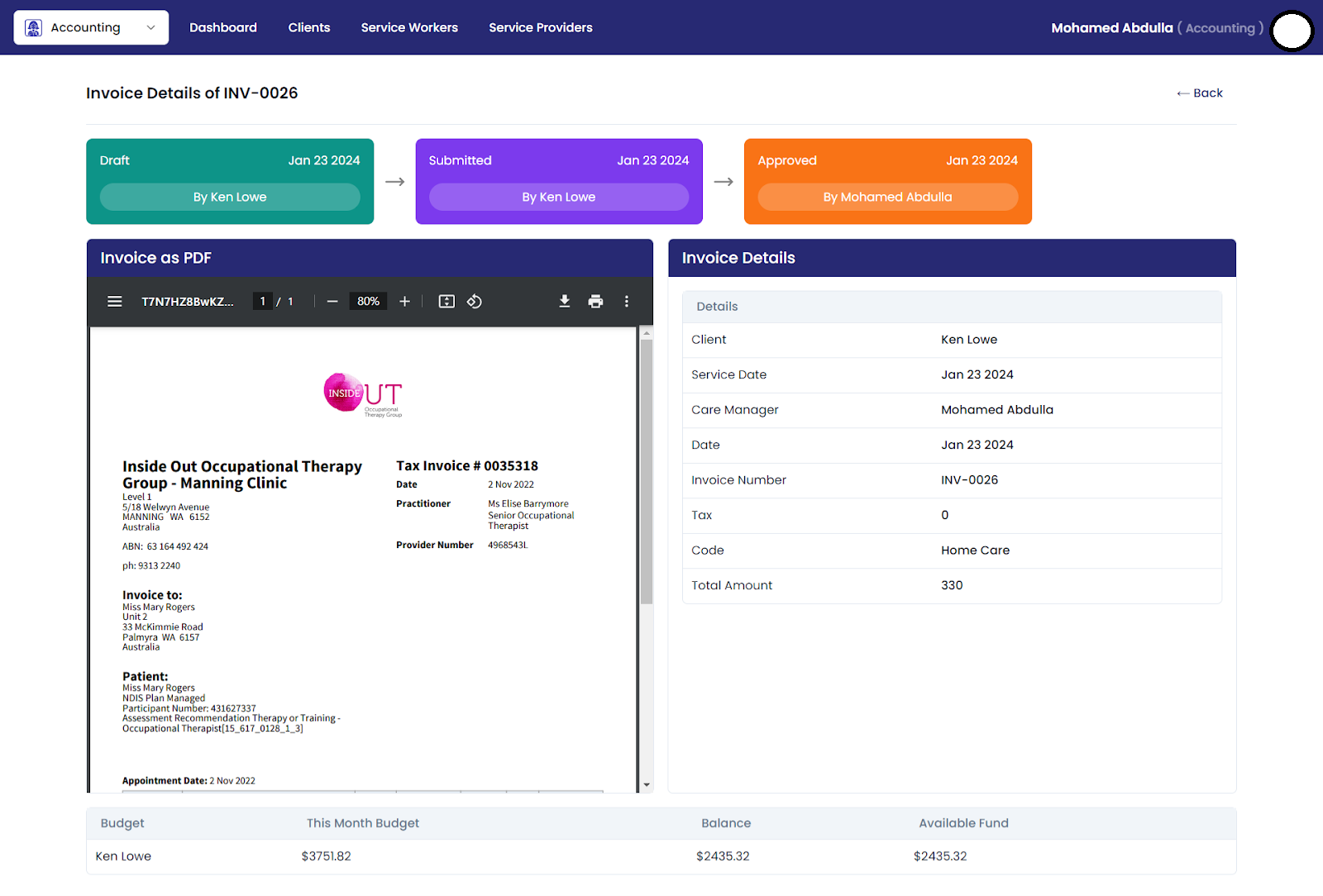
Approved Invoice
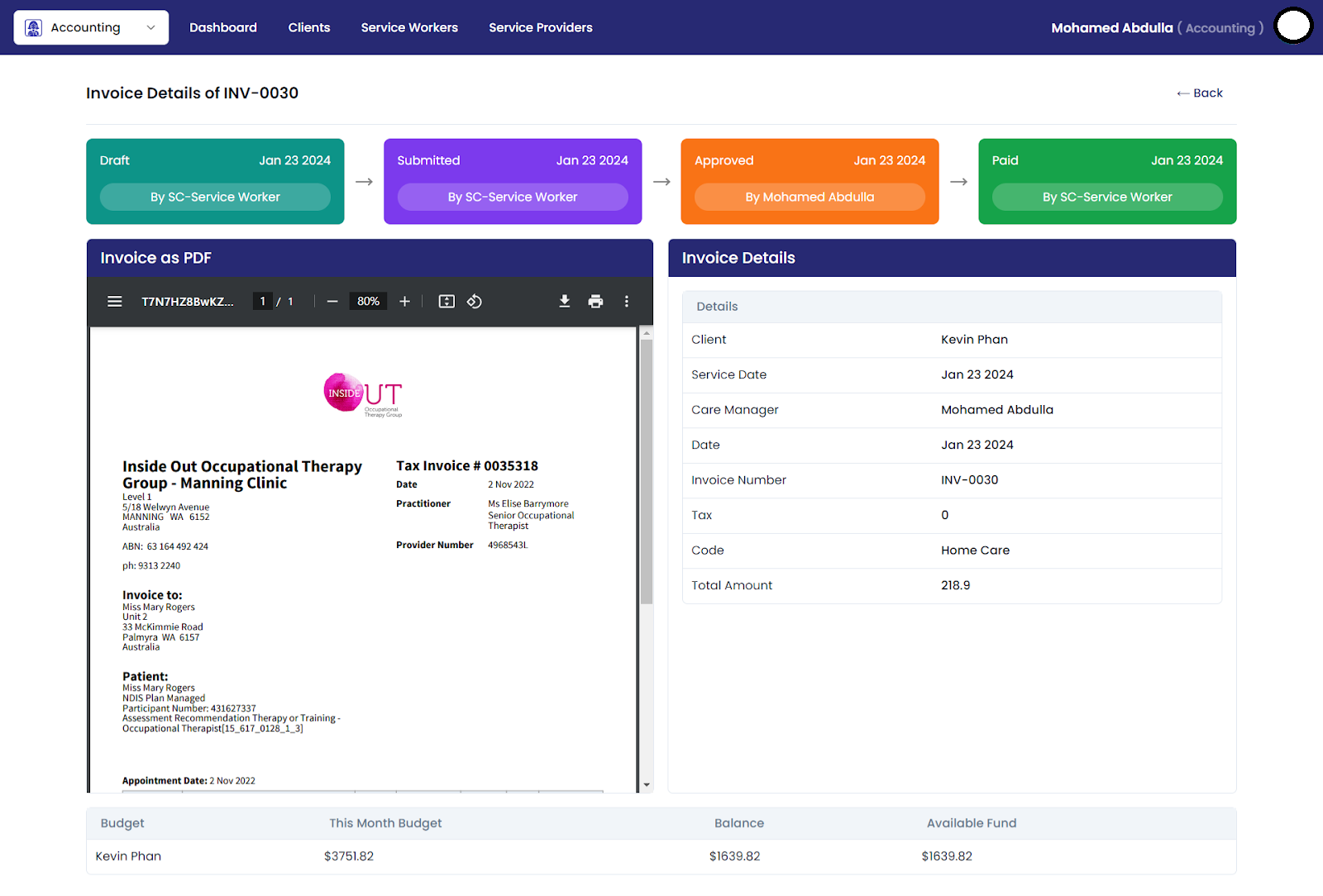
Paid Invoice
Rejected Invoice
Accounting Invoices
The Accounting Invoices page serves as a centralized platform for managing and monitoring invoices, similar to the Approval Invoices page. However, accounting users have restricted permissions and cannot approve or reject invoices.